Chief reaching for scattered notes, code strips, and timeline fragments in the sky

きみの一日を、
そっと拾い集める。

desktop companion / day keeper

Pocket Chief!

Keep the scattered pieces of your day close.

She stays at the edge of your desktop. While you are busy, she helps remember what happened today; when you pause, she brings back what may be worth continuing.

Local history Your model Desktop companion

At the end of the day, many things are still half-open.

Pages you looked up, code you left unfinished, a thought that arrived too late, and tasks you never had time to sort. Not all of them need to become a plan, but they should not disappear completely.

Chief does not push you to organize everything. She simply puts your activities, conversations, and tasks in one place, so the next step is easier to see. She is not a tool window that pops up, or a tracker that just logs which app was open. She remembers while you are busy, and brings back what matters when you pause.
She helps turn today into things you can continue.

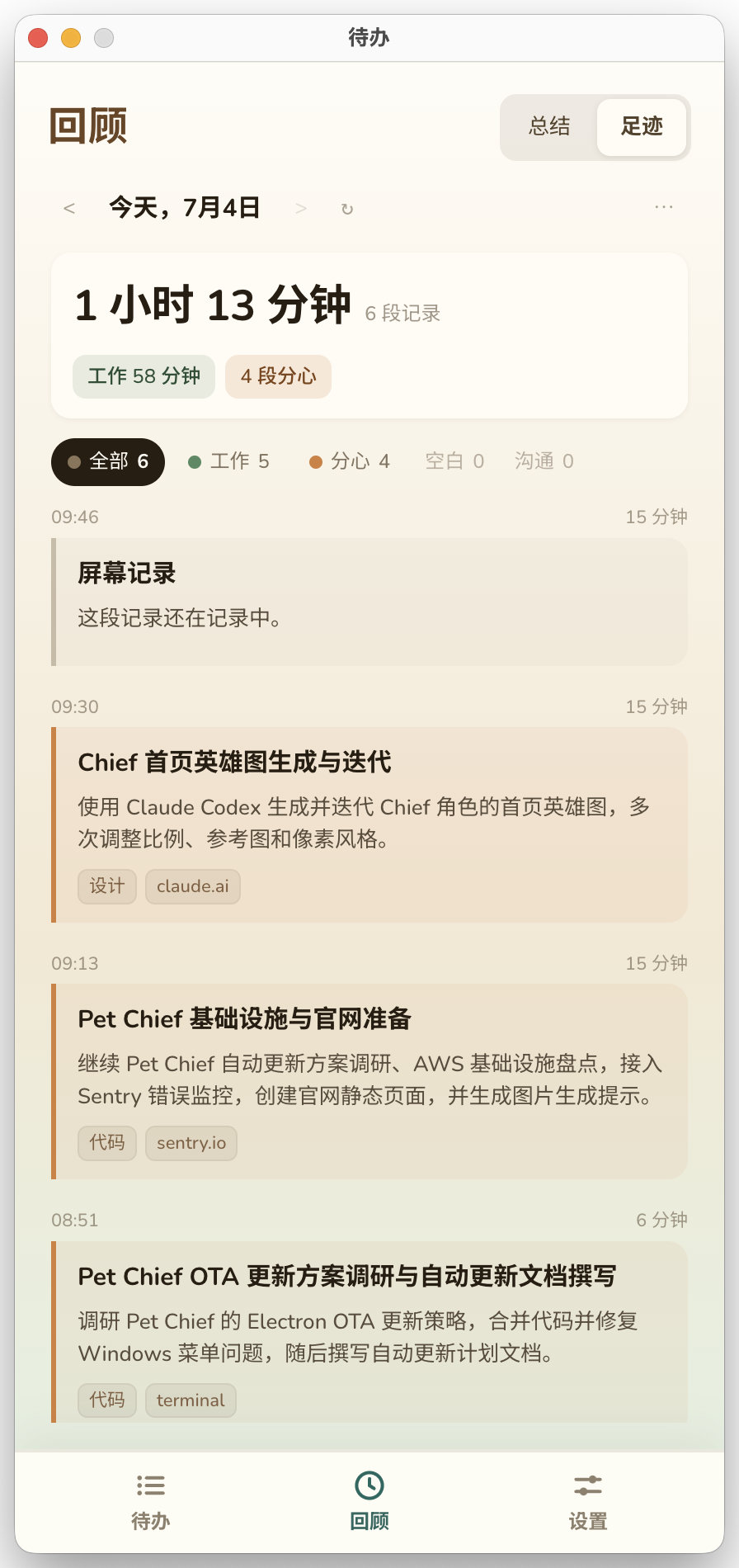
Review automatically detected tasks, look back through the day's activity timeline, and pick tomorrow's next steps from the daily summary.

Activity timeline
Automatically captures screen activity into a timeline. No manual timers.
Todo follow-up
Surfaces things that might need follow-up from your activity. You decide what to track.
Chat
Talk directly from the desktop edge. Voice input supported. No new window.
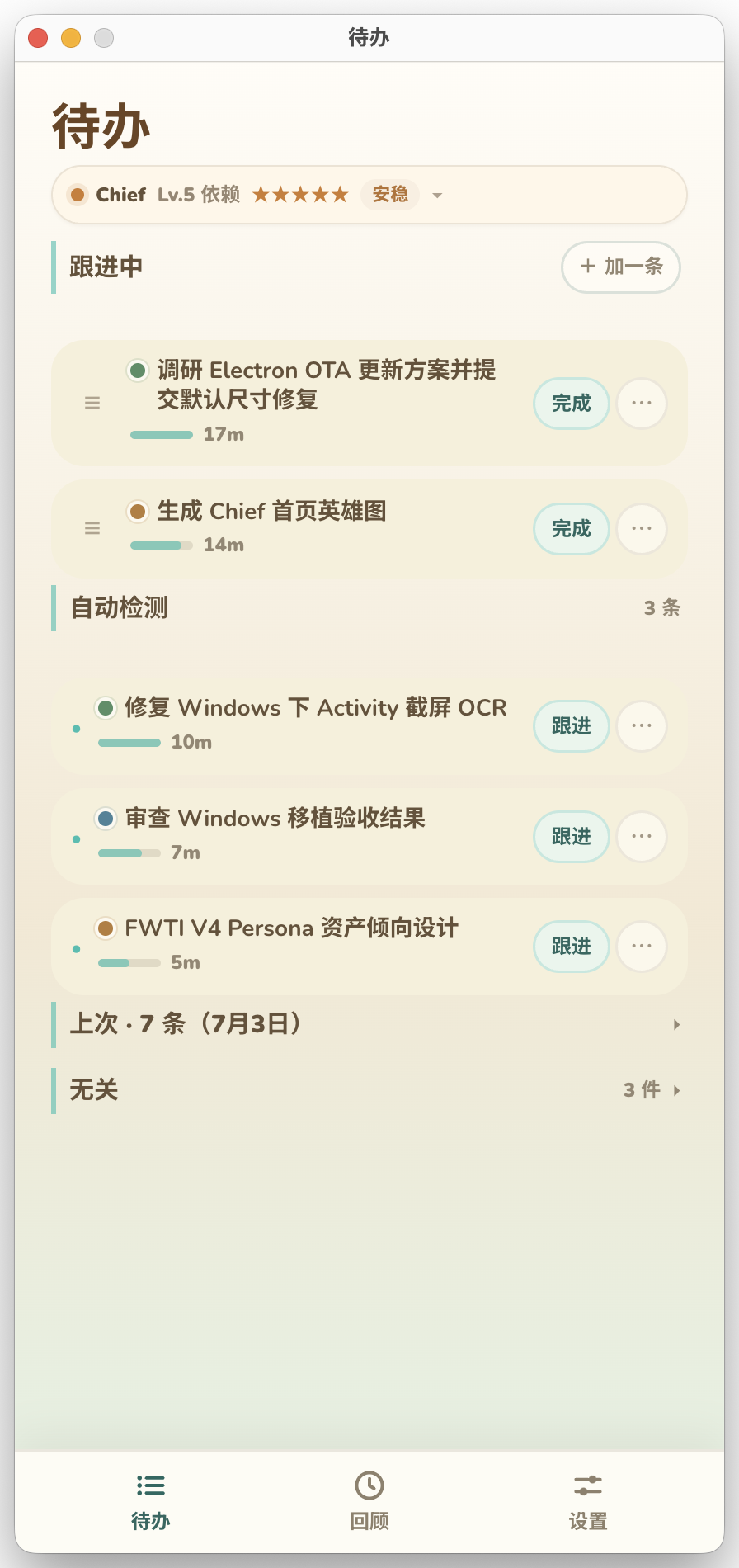
Pocket Chief todo screen
01 Follow Today

Find things that may need follow-up, then complete, track, or dismiss them yourself.

Pocket Chief activity timeline screen
02 Review The Trail

Look back through what happened by time, without digging through raw logs.

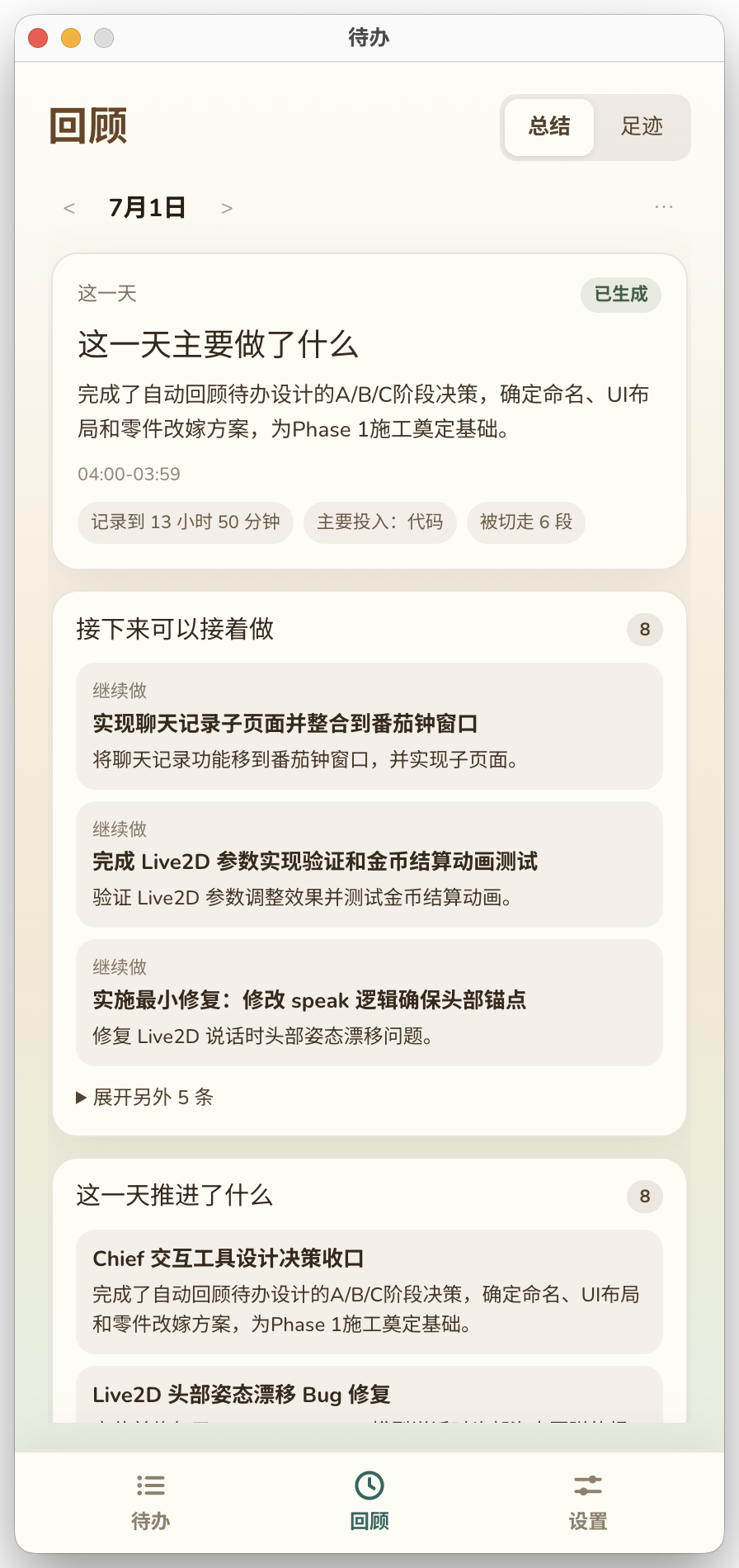
Pocket Chief daily summary screen
03 Find The Next Step

Pull forward the work that can keep moving from the day's summary.

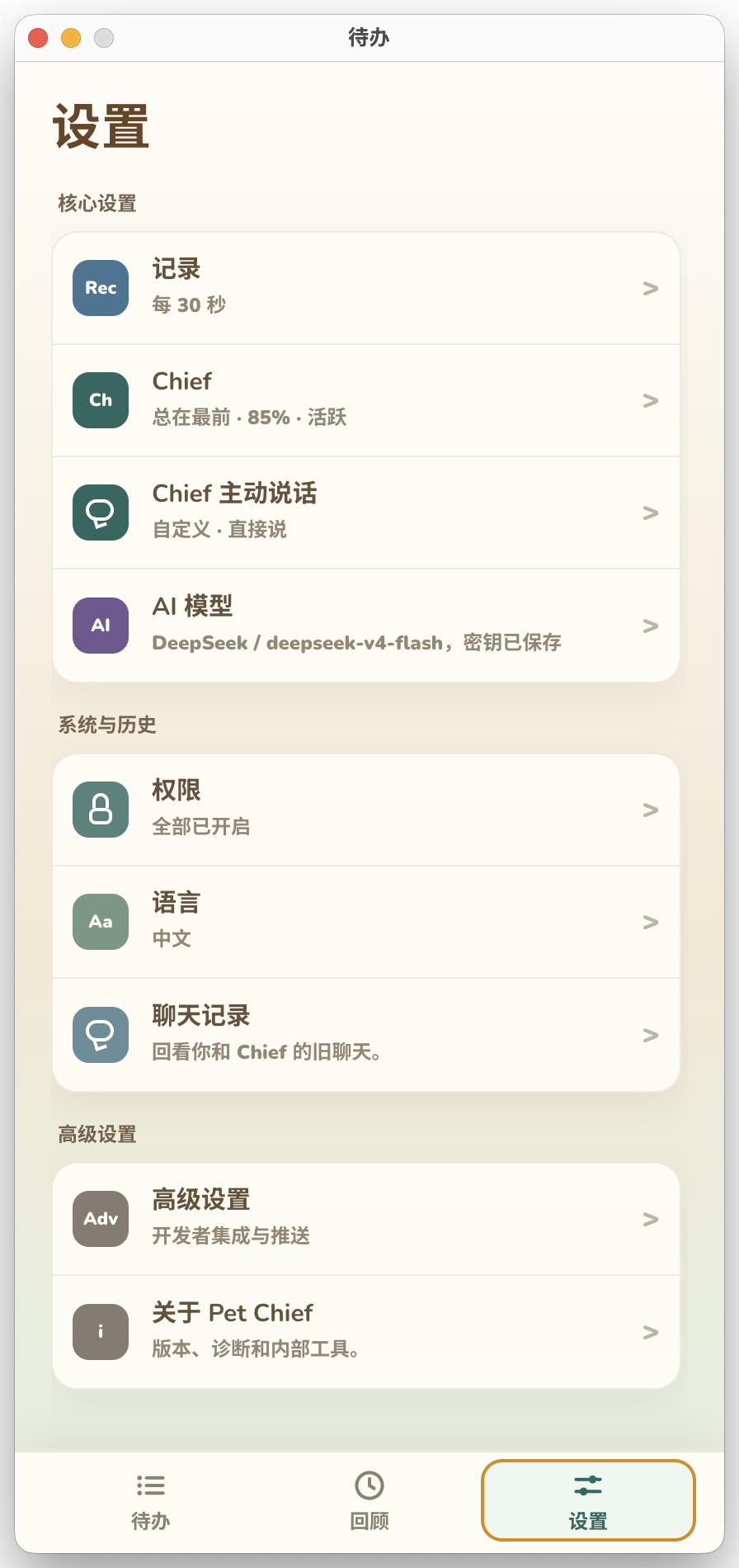
Pocket Chief settings screen
04 Stay In Control

Adjust recording, Chief's state, proactive speech, models, and permissions.

She is not only a workspace. Sometimes she is simply there.

Chief holding today's plan in a sunlit room
morning Today can move forward one small step at a time.
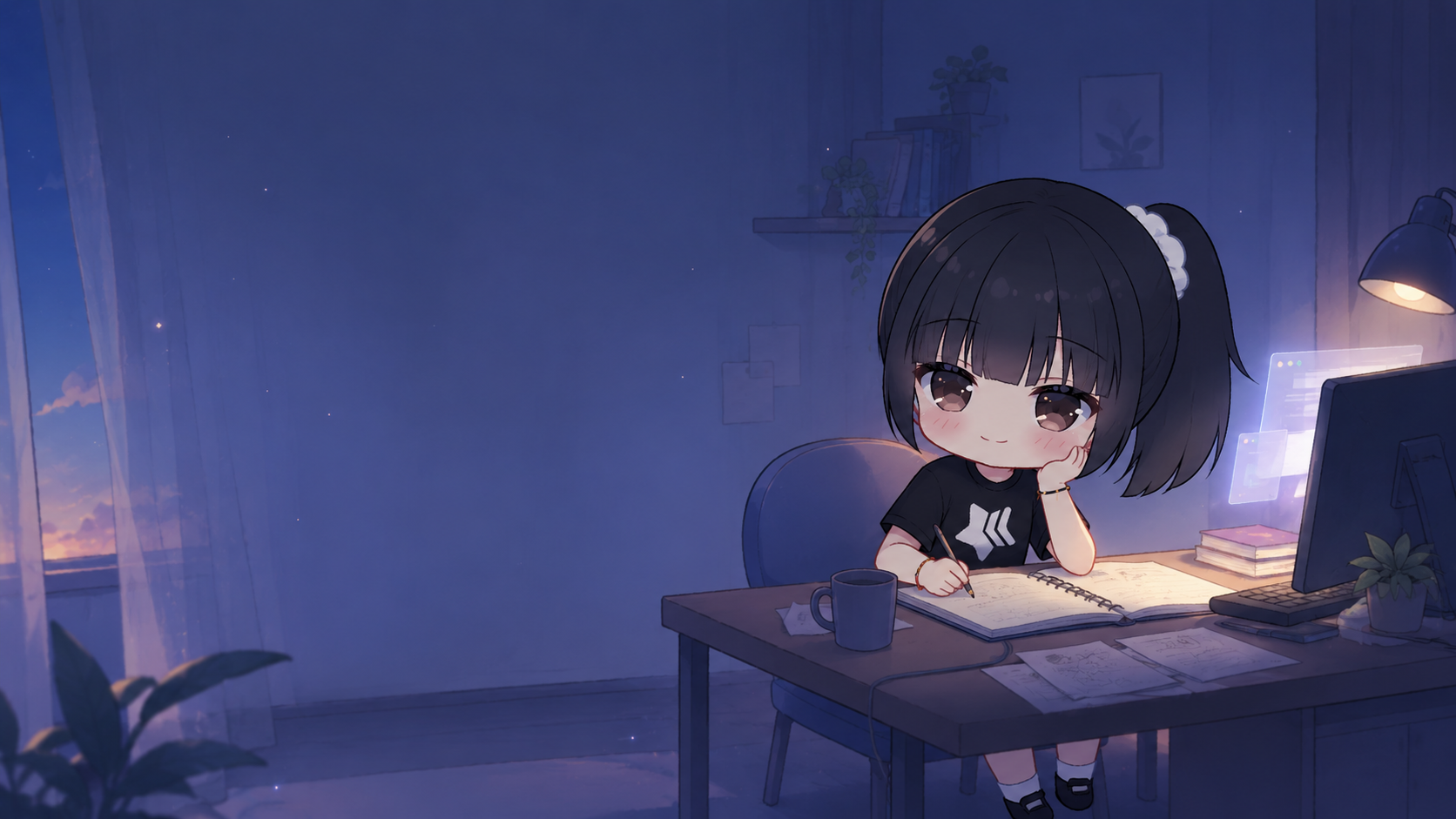
Chief keeping company at night while notes are open
night You do not have to tidy up the whole day alone.

Chief is a small companion at the edge of your desktop.

She is a little stubborn, she cares, and she may gently tease you when something has been waiting too long. She is not just another tool window. She is a small presence that stays nearby.

Chief teasing with a small notepad Chief sleeping at a desk

Chief only uses what you allow.

Screen recording, chat history, model choice, and proactive speech should be clear and controllable. You decide what she can use, and you can turn things off.

  • Your model: use the model and key you configure.
  • Local history: chats, settings, and activity stay on your computer at ~/Library/Application Support/pet-chief/ (macOS).
  • Can be turned off: recording, proactive speech, and distance are yours to set.

Things you might ask

Does it cost money?
Use your own model key for free. Cloud features use optional Credits.
Where is my data stored?
Everything stays local. Chats, settings, and activity are on your machine at ~/Library/Application Support/pet-chief/ (macOS).
Is Windows supported?
macOS is available now. Windows beta is there too, but unsigned — you'll need to bypass SmartScreen on first launch.

macOS / Windows beta

This is an early beta. The macOS package is available now. The Windows x64 build is unsigned — Windows may show "Windows protected your PC" on first launch. Click "More info" then "Run anyway" to continue. Bring your own model key for free; Cloud features use optional Credits.

Download macOS beta

macOS arm64 beta package, v0.1.2.

fc4764128b82f07a4e6e2788024b96a48fb149658d46f6a7780ad3b0d43192e3
Download Windows x64 beta

Windows x64 unsigned beta. If SmartScreen appears, click "More info → Run anyway".

3f554477d6c1f3e60bb2a3d4c3a2a2cb9ad9c7a657f6e826808791dc90da4920