Pocket ChiefHelpsettings
Read Settings by the visible groups
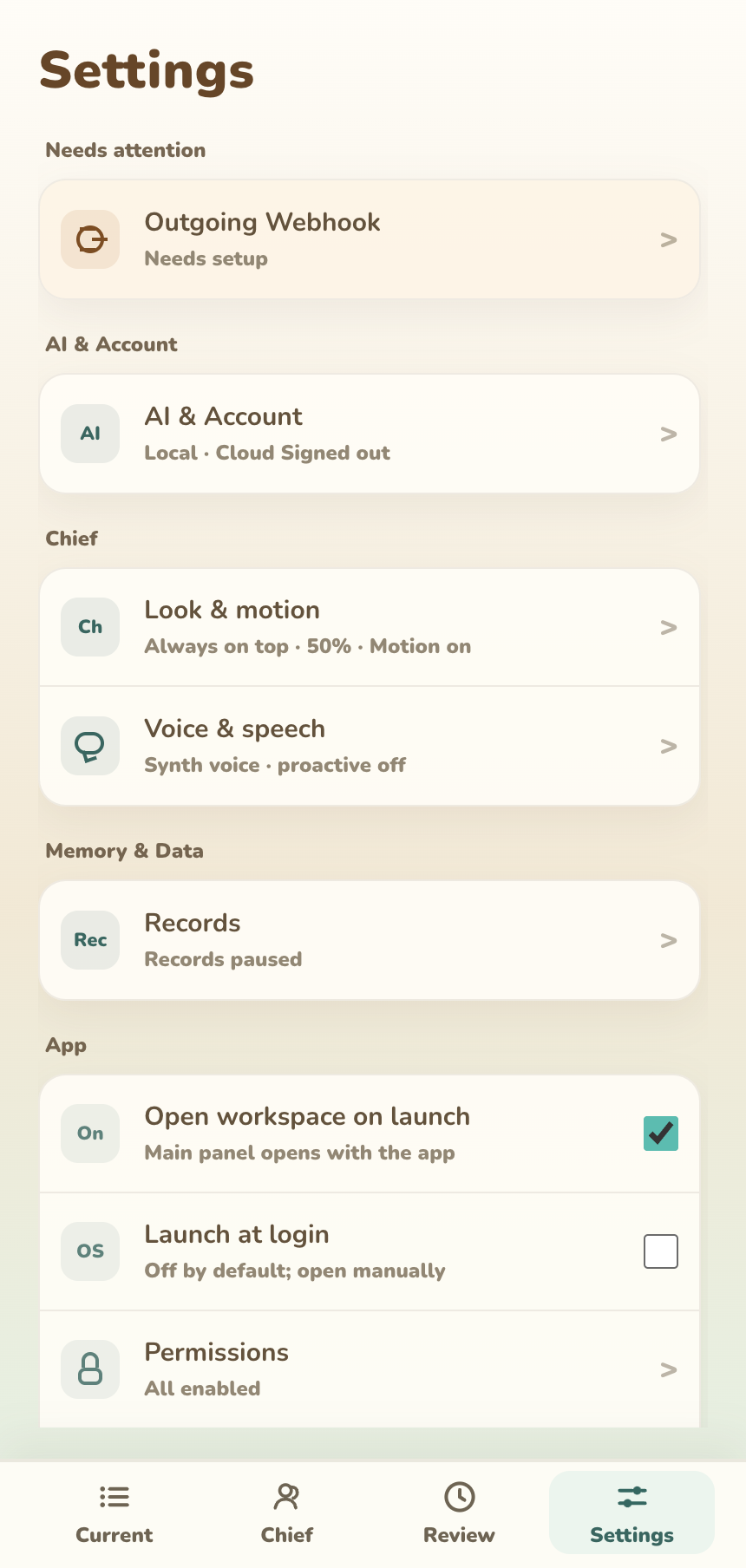
| Group | Current entries |
|---|---|
Needs attention |
Appears only for permission, AI, agent wiring, or webhook issues |
AI & Account |
AI source, Cloud identity, Cookies, and model configuration |
Chief |
Appearance & Motion; Speech & Proactivity |
Memory & Data |
Recording |
App |
Open workbench on launch, launch at login, permissions, and language |
Integrations |
Claude Code / Codex and outbound webhook |
About |
Version, distribution, channel, update, and build details |
AI & Account
Choose Cloud, Your API key, or Local. Sources never fall back automatically. A Local source is private to this computer only when its base URL actually points to a local service.
Direct signs in with email and a 6-digit code. A Steam build uses the current Steam account. Cloud can show signed out, waiting for code, ready, low Cookies, exhausted, daily limit, suspended, or temporarily unavailable.
Eligible Direct builds can open Lemon Squeezy checkout inside the app. The current base packs are 3,000 / 10,500 / 55,000 Cookies. The final local price and tax appear before payment. Steam uses a separate identity and wallet when that channel becomes public.
Advanced task routing can select different models for chat, character judgment, summaries, profile work, event reactions, Activity organization, recap, and item breakdown. Most people should leave it unchanged.
Appearance & Motion
| Setting | Default | Effect |
|---|---|---|
Always on top |
On | Keep desktop Chief above other windows |
Follow mouse |
On | Let Chief look near the pointer |
Size |
50% | Change Chief’s desktop scale |
Motion & expressions |
On | Use Live2D motion and expressions for speech and character events |
Old motion profiles, ambient intervals, and tap-expression debug controls are not part of normal Settings.
Speech & Proactivity
Speech synthesis is on by default at 60%. Pocket Chief selects a local Piper voice from the sentence language; if Piper is unavailable, it falls back to beeps. Preview checks the current sound and volume.
Proactive speech defaults to on, Balanced, Speak directly, a 30-minute minimum interval, and 5 minutes of silence after you speak. Hiding Chief pauses proactive speech.
Push-to-talk defaults to the right Option key. Microphone records the utterance; local Whisper transcribes it. The global macOS shortcut also needs Accessibility permission. Text input works without either permission.
Recording
| Setting | State / default | Effect |
|---|---|---|
Automatic recording |
On after move-in | Read screen text locally on the selected interval |
Help me organize my records |
On after move-in | Use the current AI source to create readable record cards and work clues |
Save screenshots |
Do not save |
Optionally keep temporary or device-local screenshots |
| Retention | 3 days | Appears when screenshot saving is enabled |
| Capture interval | 30 seconds | Adjustable from 30 seconds to 30 minutes |
| Organization cadence | More timely · 15 minutes |
Can change to Standard · 30 minutes |
Completing move-in turns on both Automatic recording and Help me organize my records. You can turn either setting off later.
App, permissions, and language
The workbench opens on launch by default; launch at login is off. Language follows the system unless you choose 中文, English, or 日本語.
Screen Recording is required for automatic recording and for completing move-in. Microphone supports push-to-talk; Accessibility supports its global shortcut. Revoking Screen Recording stops or reduces new Current Work, Footprints, and Summary content.
Integrations
Claude Code / Codex projects begin as Pending. Only source metadata is kept until you allow the project; later summaries can become local record clues. Quiet, Smart, and Announce all control extra spoken completion feedback, not whether allowed events enter records.
Outbound webhook is off by default. It sends new activity cards and daily/weekly reviews to a trusted endpoint using best-effort delivery; there is no persistent replay queue.
About and advanced diagnostics
About shows version, release/beta status, Direct/Steam distribution, update method, and build time. Developer Tools are support-only; open them only when support asks.